To tell humans from bots, fraud detection tools lean on dozens of signals, including mouse movement (how a cursor moves and interacts with page elements).
This guide breaks down how mouse movement gives bots away, what fraud protection tools actually measure when tracking it, and why organic movements are so hard for bots to fake.
What mouse movements do fraud protection tools track?
None of the mouse movement signals below are a definite sign of bot activity, but together, they paint a picture and can help differentiate real and invalid traffic. Here are the signals fraud detection tools look out for:
1. Path efficiency
This measures the path a mouse cursor travels from one point to another. A perfectly straight line scores close to 1.0, and non-linear paths are closer to 0. Human visitors rarely move their mouse in a straight line, as hand movements naturally curve and drift off-course.
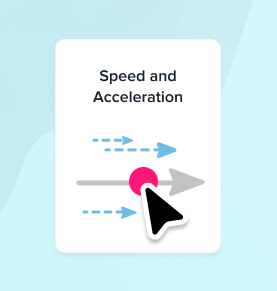
2. Speed and acceleration
Human visitors tend to move their mouse at a varying speed, accelerating during the movement and slowing down right before the click. Bots, on the other hand, move precisely at a flat and constant speed. Older bot scripts used to skip these entirely and jump directly between click-points.
3. Micro jitters
We also see small involuntary movements in mouse activities when a human is at the computer. Wobbles and side-to-side movements are very common, especially when a user is actively exploring your page. This is one of the harder signals for bots to fake, as it’s completely random.
4. Pauses and hesitation
Real users pause. They stop to read a headline, reconsider a decision, or move the mouse as they try to locate a button. Bots tend to either not pause at all and zip between clicks or pause in oddly uniform patterns that don’t match how a real person moves through the page.
5. Click precision
This tracks exactly where a cursor lands inside a clickable element. Usually, humans will land somewhere within the borders, rarely hitting the exact center. But bots are very precise and can read and see the invisible boundaries of elements on the page. They tend to hit the precise spot every time. Or, in cases where they try to hide their activity, click on the edge of the pixel, something humans would never see.
6. Pre-click behavior
This looks at whether any movement happens before or between a click. Real sessions almost always show movement leading up to a click. Users will scroll around, follow their sight with the cursor, and explore the page’s content. But a click that happens with zero prior cursor activity is a sign of non-human activity and is indicative of scripts and headless browsers acting on the page.
7. Click duration
This measures the time between a mousedown event (clicking on the mouse) and the mouseup event (releasing the mouse). In other words, how long the mouse button stays pressed before it’s released. People show natural variance here, but bots tend to have an identical duration on every click. Durations faster than any human can reasonably press and release a button are also a red flag.
1. Path efficiency
This measures the path a mouse cursor travels from one point to another. A perfectly straight line scores close to 1.0, and non-linear paths are closer to 0. Human visitors rarely move their mouse in a straight line, as hand movements naturally curve and drift off-course.
2. Speed and acceleration
Human visitors tend to move their mouse at a varying speed, accelerating during the movement and slowing down right before the click. Bots, on the other hand, move precisely at a flat and constant speed. Older bot scripts used to skip these entirely and jump directly between click-points.
3. Micro jitters
We also see small involuntary movements in mouse activities when a human is at the computer. Wobbles and side-to-side movements are very common, especially when a user is actively exploring your page. This is one of the harder signals for bots to fake, as it’s completely random.
4. Pauses and hesitation
Real users pause. They stop to read a headline, reconsider a decision, or move the mouse as they try to locate a button. Bots tend to either not pause at all and zip between clicks or pause in oddly uniform patterns that don’t match how a real person moves through the page.
5. Click precision
This tracks exactly where a cursor lands inside a clickable element. Usually, humans will land somewhere within the borders, rarely hitting the exact center. But bots are very precise and can read and see the invisible boundaries of elements on the page. They tend to hit the precise spot every time. Or, in cases where they try to hide their activity, click on the edge of the pixel, something humans would never see.
6. Pre-click behavior
This looks at whether any movement happens before or between a click. Real sessions almost always show movement leading up to a click. Users will scroll around, follow their sight with the cursor, and explore the page’s content. But a click that happens with zero prior cursor activity is a sign of non-human activity and is indicative of scripts and headless browsers acting on the page.
7. Click duration
This measures the time between a mousedown event (clicking on the mouse) and the mouseup event (releasing the mouse). In other words, how long the mouse button stays pressed before it’s released. People show natural variance here, but bots tend to have an identical duration on every click. Durations faster than any human can reasonably press and release a button are also a red flag.
Mouse movement measurement is imperfect
Fraud detection systems don’t rely on mouse movement alone because it isn’t perfect. Real users sometimes interact with surprising precision, and a growing share of invalid traffic comes from devices that don’t generate mouse movements at all.
Mobile invalid traffic has no mouse movements
Mobile devices have no cursor. Visitors tap, swipe, and scroll instead of clicking, and so there are no mouse movements to track. Mobile traffic generated from click farms can blend in here. Based on our recent visit to click farms in Vietnam, most click farm traffic today is mobile-based, making evasion much easier.
Sophisticated bots can mimic human mouse movements
Sophisticated invalid traffic, the kind from advanced bots, is also increasingly competent at copying human mouse interactions, down to the involuntary jitters. Some do this by injecting randomized pauses or by simulating human-like acceleration curves. This kind of mimicry is harder to pull off and will stand out with enough interactions over thousands of sessions. But it can slip through basic filters quite easily.
The fact that bots and mobile traffic can bypass mouse movement tracking doesn’t mean it’s not useful. In cases like the above, advanced fraud detection systems rely on other factors, like Device IDs, browser fingerprints, and IP reputation.
Fraud Blocker tracks mouse movements to prevent click fraud
Fraud Blocker analyzes mouse movement as part of our fraud detection system, adding an extra layer of protection to every monitored campaign with no extra setup required. Unusual mouse activity now feeds directly into your fraud score and is visible on a user’s dashboard.
For mobile traffic where there’s no mouse to track, or for more sophisticated bot activity, we still use dozens of signals to detect fraud, including the following:
Read more about how Fraud Blocker prevents fraud.
Mouse movement won’t catch every bot on its own, but paired with the dozens of other signals Fraud Blocker already tracks, it adds another layer of protection your campaigns didn’t have before. Existing customers will have this added to their detection automatically without any extra steps.
If you want to see how it performs on your own traffic, sign up for a 7-day free trial and start protecting your ad spend today.
Matthew is the resident content marketing expert at Fraud Blocker with several years of experience writing about ad fraud. When he’s not producing killer content, you can find him working out or walking his dogs.
Matthew is the resident content marketing expert at Fraud Blocker with several years of experience writing about ad fraud.